
Ishin Roblox: How to Wear and Adjust Accessories
You customize your appearance in Ishin Roblox by purchasing the Accessory Adjustment gamepass, which allows you to modify the position, scale, and rotation of your character's accessories to create a unique look while you experience the game's various slice-of-life activities.
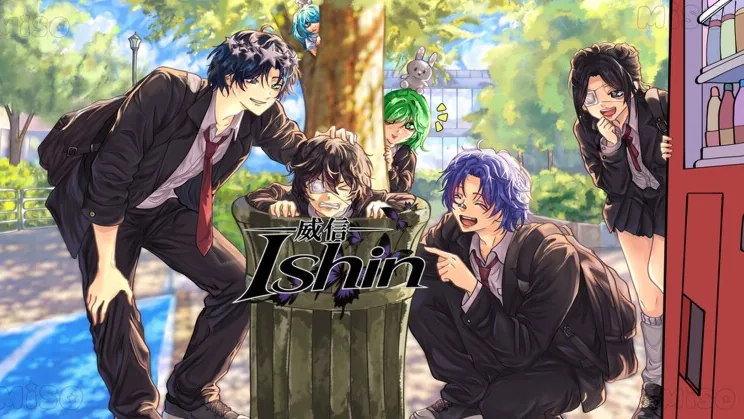
You customize your appearance in Ishin Roblox by purchasing the Accessory Adjustment gamepass, which allows you to modify the position, scale, and rotation of your character's accessories to create a unique look while you experience the game's various slice-of-life activities.
How Do You Use the Accessory Adjustment Gamepass?
The Accessory Adjustment gamepass is the primary method for changing how items appear on your character. By acquiring this pass, you gain the ability to manipulate the physical properties of your equipped accessories. This gives you control over the visual presentation of your avatar, ensuring your character stands out during your time in the game.
According to the official Roblox game page, this specific gamepass allows for three types of modifications:
- Position: Change where the accessory sits on your character.
- Scale: Adjust the size of the accessory.
- Rotation: Change the angle at which the accessory is displayed.
If you are just starting your experience, you may want to review the full list of gamepasses available to see which upgrades best fit your playstyle. While the Accessory Adjustment gamepass focuses on items you wear, players can also engage in house customization to build a space that matches their personal aesthetic.
Comparing Available Customization Gamepasses
The following table summarizes the paid customization options available in the game to help you decide which upgrades to purchase.
| Gamepass | Price (Robux) | Primary Benefit |
|---|---|---|
| Accessory Adjustment | 79 | Modify accessory position, scale, and rotation |
| Custom Hair | 49 | Customize hair appearance |
| Private Server Commands | 55 | Access to the private server panel via the Tab key |
Getting Started with Customization
Before purchasing upgrades, ensure you are familiar with the basic mechanics of the game. For new players, the beginner guide provides an overview of the core features, such as attending classes, participating in competitive activities like basketball and chess, or experimenting with science and plants.
The developer luure manages the game, and all features, including accessory adjustments, function according to the settings found on the official Roblox game page. Keep in mind that while accessories can be adjusted for appearance, other activities like performing at music concerts or gardening with plants remain accessible to all players regardless of their cosmetic gamepass status.
Next step
Boxing Style Guide
Learn the basic controls, roll requirements, and melee strike mechanics for the boxing style in this school RPG.
Related Guides
Ishin Roblox Character and House Customization; Ishin Roblox How to Gain Cat Trust and Tame Pets; Ishin Roblox How to Make Money: Jobs & Yen
Customization Options
Discover how to customize your character's accessories and home in Ishin to personalize your in-game identity.
Gain Cat Trust
Follow proven steps to feed, soothe, and play with your newly adopted cat to remove fear and raise trust in Ishin.
Make Money Guide
Review every working job, street task, and science experiment in Ishin to collect Yen for apartments and pet supplies.